|
|
Previous Next Help Print
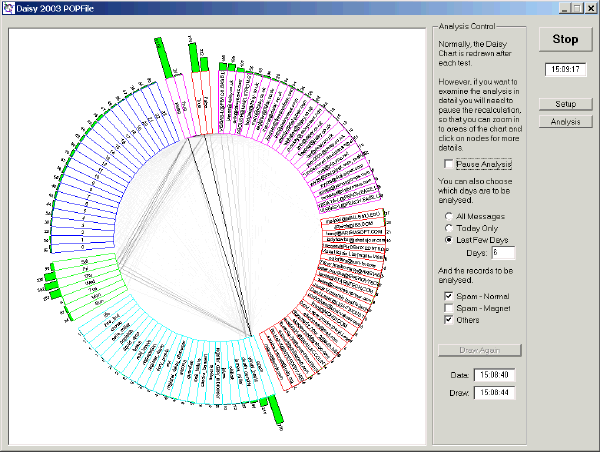
The Daisy Chart shown has a number of mapping fields, each of which is shown as part of a circle :-
- 'To' E-Mail Address
This is the recipient of the message, arranged in descending order of occurence.
Look for ones you don't recognise, which include such names as 'Undisclosed Recipients'.
- 'From' E-Mail Address
This is the sender of the message, again arranged in descending order of occurence.
Spamograhers rarely use the same E-Mail address to send their unwanted crap, but look at any address that occurs more than once. They will probably be genuine contacts, but some may be unwanted messages from genuine companies.
- Bucket
This is the 'bucket' assigned to the message.
- Day of Week and Hour
These qualify the message as to when it was received.
- Changed and Spam
These show which messages have been reclassified in POPFile and those that are considered 'spam'.
Not all are shown in all Daisy Charts
|