Daisy Analysis Extra Programs - Daisy POPFile - Running

Daisy 2003
Charts
Features
ActiveX and OCX
Extra Programs
  Web Analysis Tools

  Daisy POPFile

    Setup

    Running

    Analysis

    Tuning

    Download

    Source Code

  WWW Test

  News Analyser

  Phone Analyser

Learning More
Versions
Register/Download
Ordering Daisy
Help
Screen Shots
Manual
Training Notes
Customers
Links
Contact

Previous  Next  Help  Print

Running of Daisy Profile is controlled using the Run/Stop button at the top right of the program.
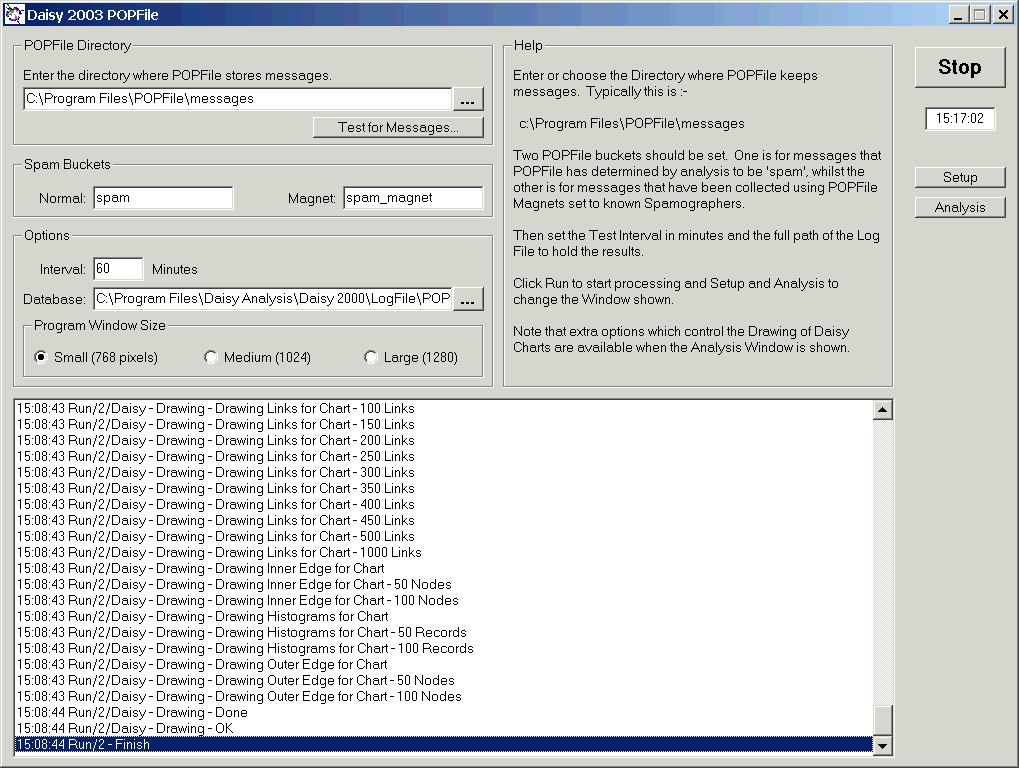
Daisy POPFile - Setup Window - Click for Large

Just click Run to start and Stop to finish.

Note :-

  1. Status whilst testing and drawing the Daisy Chart is shown in the Setup window.

  2. You must check the Pause Analysis box to allow any investigation of the data. Collecting of messages is aunaffected.

  3. The program can not be unloaded, whilst messages's are being collected or Daisy Charts are being drawn.