Daisy Analysis Features - Command Line Arguments - Generating

Daisy 2003
Charts
Features
  Integrated Applications

  Multi-Dimensional

  Active Chart

  Nodes and Links

  Databases

  Mapping

  Aggregation

  Histograms

  Viewing Data

  Link to Excel

  Link to Word

  Precise Graphics

  Daisy Opener

  Command Line Argum'ts

    Generating

    Using

    Syntax

  HTML Charts

  Relational Web Reports

  Profiles

  New In Daisy 2003

ActiveX and OCX
Extra Programs
Learning More
Versions
Register/Download
Ordering Daisy
Help
Screen Shots
Manual
Training Notes
Customers
Links
Contact

Previous  Next  Help  Print

Arguments are generated using the Daisy Opener.


The sequence of operation is as follows :-
  1. Set up the Daisy Opener so that it reads the database and draws the required Daisy Chart.

  2. Adjust all the Options in the Daisy Opener.

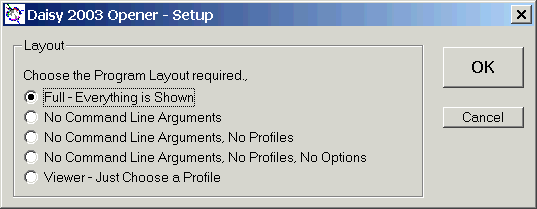
  3. Make sure the program setup so that the 'Command Line Arguments' frame is shown.

    Use the Setup button which brings up the dialog below.

    Opener - Setup

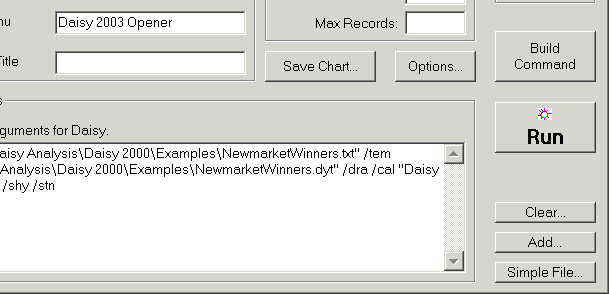
  4. Click the Build Command Line button and the generated command line arguments will appear in the window at the bottom of the program.

  5. Test the generated arguments using the second Run button.

Opener - Command Line Arguments

The figure shows the bootom right of the Daisy Opener.


See Daisy Opener - Generating Command Line Arguments in the Help for more details.