|
|||
|
Command line arguments are always used with the Daisy Opener rather than Daisy 2003.
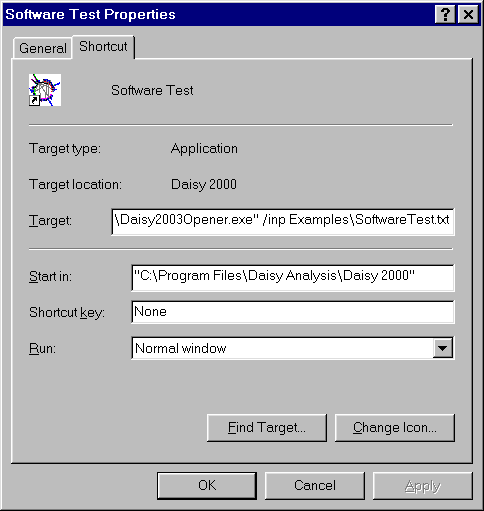
This is because a large degree of compatibility was required with Daisy 2001 which does not allow arguments. Also, by putting the arguments into the Daisy Opener this would not compromise the reliability of Daisy 2003. The command line arguments are used in the normal way. Shown is a very simple set of arguments in a Desktop shortcut.
Note that the command line is just the full path to the Daisy 2003 with the arguments appended. "C:\...\Daisy2003Opener.exe" /inp Examples\SoftwareTest.txt This command line can also be used to drive Daisy 2003 from any user-written program. See Daisy Opener - Using Command Line Arguments in the Help for more details.
|
|||