|
|||
|
Daisy 2003 has a simple Registration System, that has been designed to stop the illegal use of our software.
It is a two-stage process :-
In most cases you will do this whilst you are downloading the software, as this process will return you the install password for the Installation program, Daisy2003Setup.exe. The Registration Form is shown as it appears in Internet Explorer. 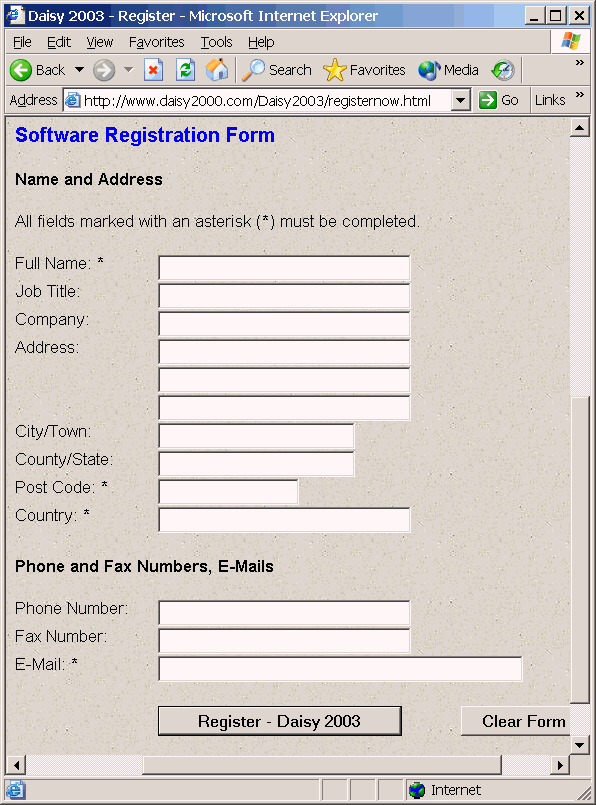 Just fill in the various fields and click the Register button at the bottom. Receiving Passwords and Codes The Registration will return details of the install password for the Installation program. So you can see it is important that you put the correct E-Mail address in the Registration Form! You will only receive the full user and registration codes after you have paid for the software. The codes for Daisy 2003 are entered using Register Daisy 2003 in the Help menu. You will then be presented with the dialog, which allows the user and registration codes to be entered. 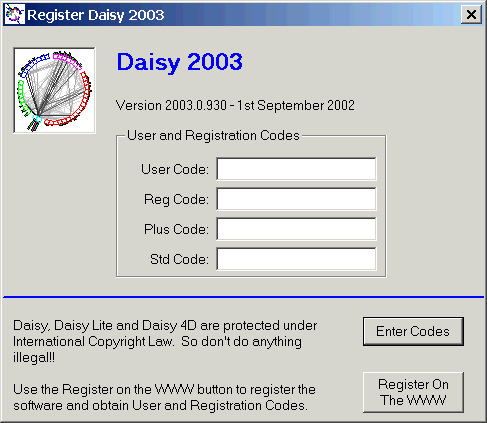 Fill in the required fields and then click OK. You will now be fully registered.
|
|||
