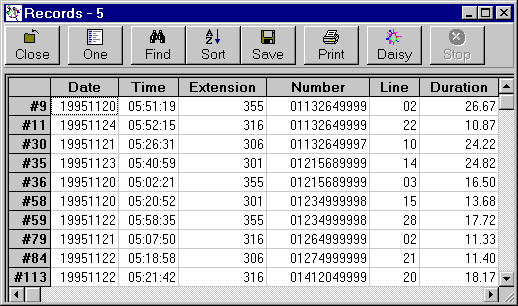
Grids - Toolbar
Each Daisy Grid can have a toolbar which is normally at the top of the grid.
The various buttons are as follows :-
When one record is being shown, this button is replaced by All, which is used to restore all the records.
Note that the toolbar can be placed at the bottom if required.
Change the toolbar settings by choosing the Views/Grids/Investigations command from the Options menu.