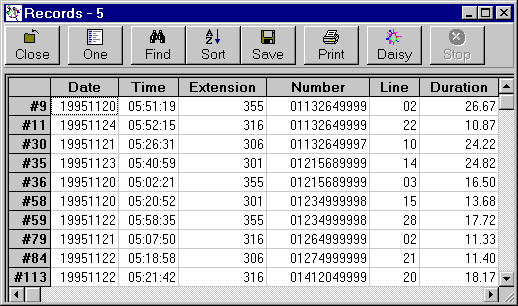
Grids - Saving Data
Each Daisy Grid has 'Save' in the toolbar.
'Save' is the fifth from the left.
Once 'Save' has been clicked an extra section opens under the toolbar.

Enter or choose the file where the data is to be saved as either a CSV or HTML file. Note that the extension determines the format of the saved data.
Clicking 'All' or 'Sel' (Selected) will save the data.
Note that Save can also be performed from the right click menu.