Open Database
Open Database in the File menu is used to open a database for analysis with Daisy.
Daisy can open different types of databases, including comma-separated files and Microsoft Excel workbooks and worksheets.
The larger versions of the program can also open Web Site Log files and databases using a Microsoft ADO connection.
Databases can either be opened from 'Open' in the toolbar or the Open Database command in the File menu.
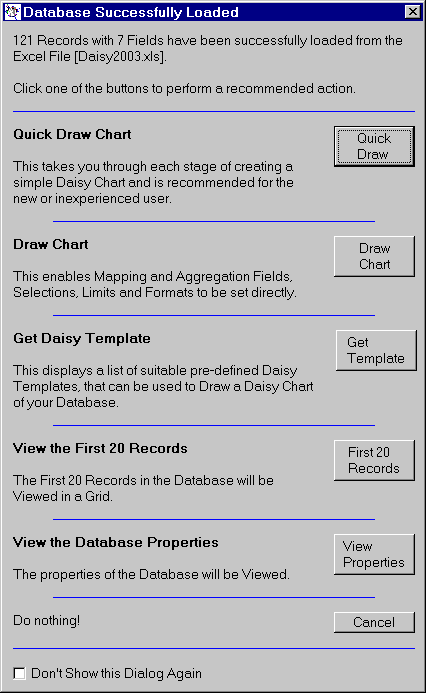
Once the database has been opened, a dialog is shown which enables the user to choose the next phase of the analysis.
This enables charts to be drawn, templates to be retrieved, records to be viewed and the database properties to be examined.
Click the link below to open a comma-separated file as a database.