Grids - Deleting Data
Data is only deleted from the Daisy Grid, not from the actual database.
Data must first be selected before it can be deleted.
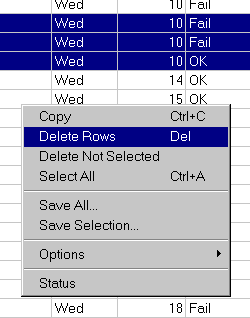
Three possible selections can be used :-
In the figure, rows are being deleted.
** Tip - Delete Not Selected is used to reduce the data in the grid to only that required.