Grids - Selecting Data
Data is usually selected using the mouse.
If you need to select everything then use Select All in the right click menu or the Control-A keystroke.
Selecting an Area
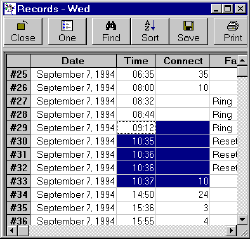
Areas are selected by moving the mouse to the top left cell and then depressing the left button. The mouse is then moved to the bottom right cell and the button is released. The selected area is then indicated.
Here a group of cells consisting of five rows and two columns has been selected.
Selecting Rows
Rows are selected by moving the mouse to the fixed column (the dark column at the left!) of the top row and then depressing the left button. The mouse is then moved to the bottom row and the button is released. The selected rows are then indicated.
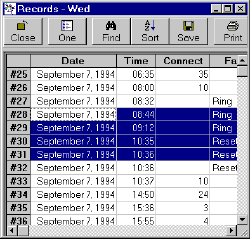
Rows #28 to #31 have been selected.
Selecting Columns
Columns are selected in a similar way to rows using the fixed row at the top of the grid.
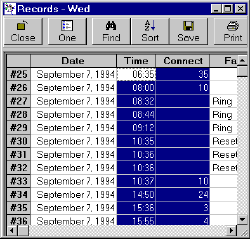
Two columns have been selected.
Selecting Everything
If you need to select everything then use Select All in the right click menu or the Control-A keystroke.
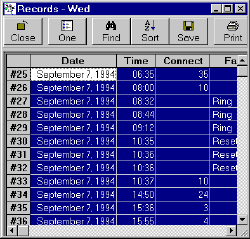
You can also click the blank top left cell in the grid to select everything.