 | Techniques - Visual SQL |
Daisy is obviously very-'Visual'. But 'SQL' it is not.
But you can apply simple and not-so-simple visual selections on an 'And' and 'Or' basis to Daisy Charts.

The Daisy Chart shown here is a classic Day of the Week (Sun, Mon etc.) and Hour of the Day (5, 6, 7 etc.) chart, based on the 'Software Test' example.
The preferred way to perform complicated selections on a Daisy Chart is to use the 'Point and Click' selection from the View menu.
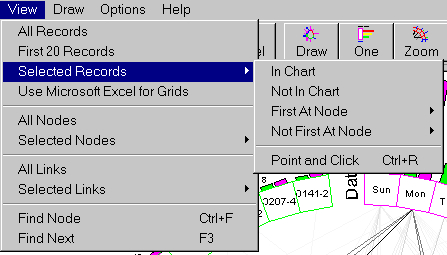
'Point and Click' is the simple mouse-based selection method, used to choose nodes, when viewing selected links, nodes and records.
Each node to be selected is pointed to with the mouse and then the left button is clicked to select that node. This is repeated until all nodes have been selected.
Clicking anywhere else, then causes the selection to be performed.
When selecting nodes, as in Selected Nodes, each of the nodes chosen will be added to the displayed Daisy Grid.
With records, as in Selected Records, all of the records, underlying each of the nodes in the same mapping field, are combined or 'or'ed together. Then only those records that are named for each mapping field will be displayed.