 | Extra Programs - Daisy POPFile - Analysis |
Shown is the main Analysis window for Daisy POPFile. This is called using Analysis at the right of the program.
Shown is a typical analysis of messages which have been collected for a week.
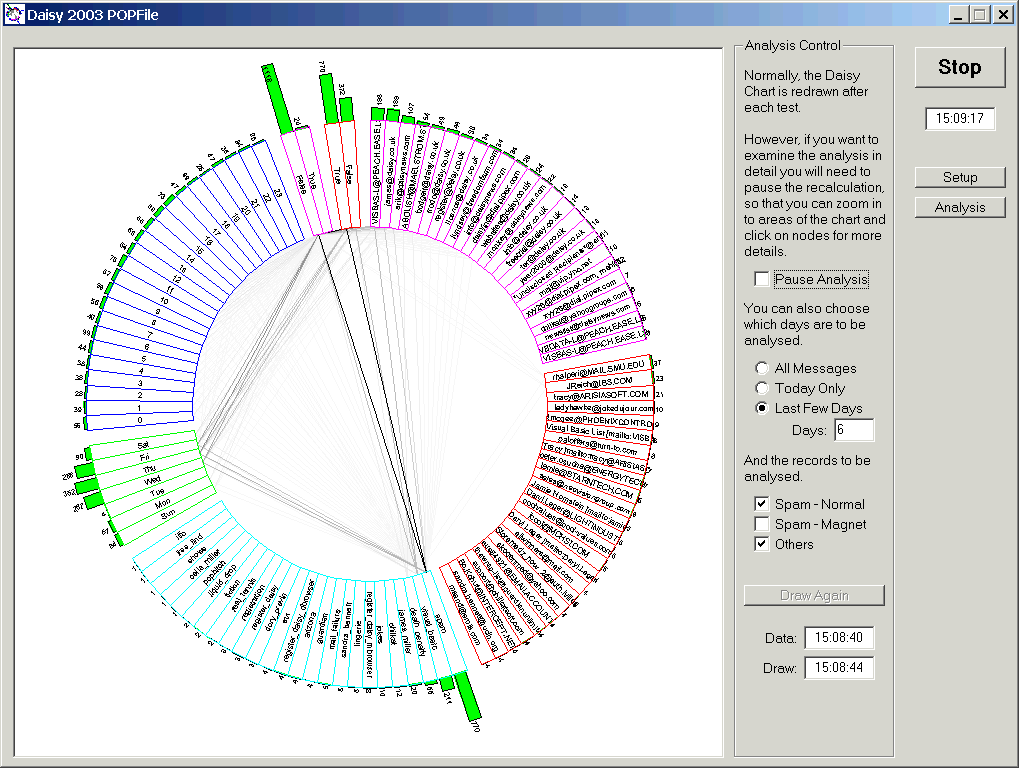
Note how each segment of the Daisy Chart corresponds to an analysis for a particular field in the collected messages.
This chart can be investigated using the normal Daisy mouse-based methods :-