Zoom In
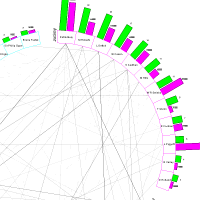
In is a very powerful sub-command of the Zoom. It enables a Daisy or other chart to be zoomed so that a selected area is magnified.
Just move the mouse to the required top left of the area and hold the left button down. Then drag the mouse until the required area is enclosed within the highlight rectangle and release the button.
The chart will then be redrawn to the required size.
The figure shows a section of the 'Newmarket Winners' example after a 'zoom in'.
Note that Zoom In can be initiated by just using the mouse.
Click the link below to zoom the chart in.