Link To Excel - Typical Workbook
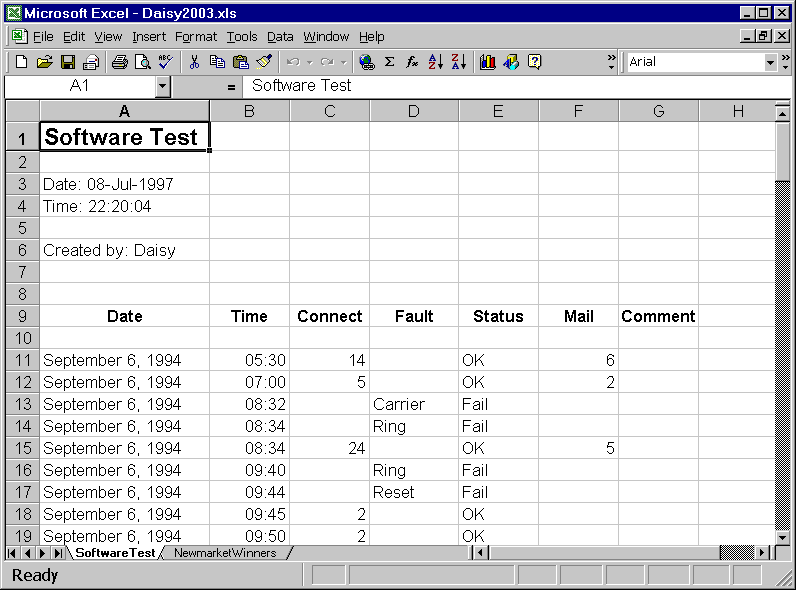
The graphic below shows the 'Software Test' example contained in the file, Daisy2003.xls, opened by Microsoft Excel.
It is very much a typical Excel workbook, containing two worksheets; SoftwareTest and NewmarketWinners.
The data is a typical spreadsheet and is used in this example. You may be familiar with the comma-separated form of the data, SoftwareTest.txt. The aim is to produce the same Daisy Chart from the two files!
Note the layout of the data in the worksheet.
Daisy has a range of options for decoding where the field names are stored in the workbook. In this example, one of the standard forms is used, with field names in row 9 and the data starting in 11. This form also allows comments in the first few rows of the worksheet.