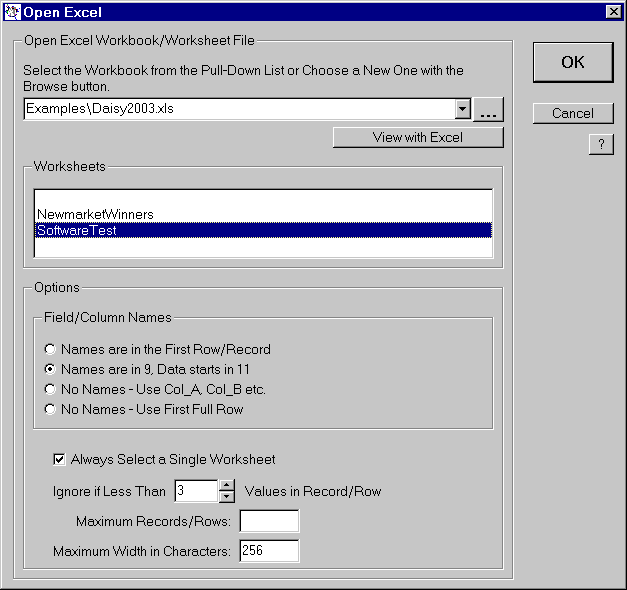
Link To Excel - Opening a Worksheet
Daisy can automatically locate the field names, if any, in the workbook, but as the workbooks are as varied as people, you can always have the option of choosing everything manually.
Here the 'SoftwareTest' worksheet has been selected. Note the Options window and the various boxes, which determine how the data will be read.
Once the database has been opened, a dialog is shown which enables the user to choose the next phase of the analysis.
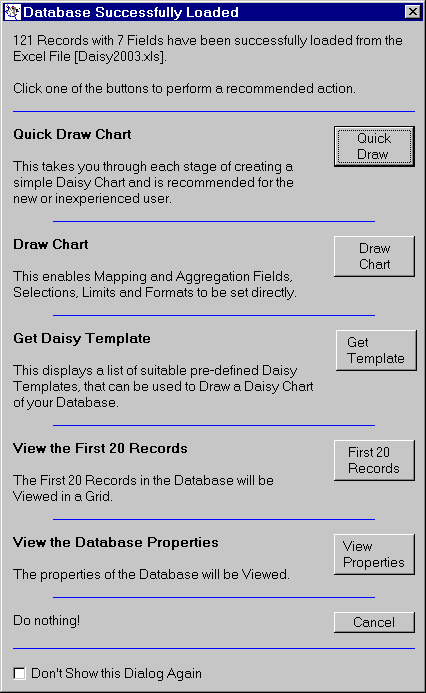
This enables charts to be drawn, templates to be retrieved, records to be viewed and the database properties to be examined.
If all of your workbooks follow a common standard, you can set this using the Excel command in the Options menu.