ActiveX - A Simple Example
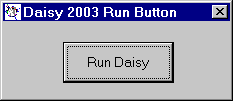
The simplest example is the Daisy Run Button.
This program is installed with Daisy and can be run from the Windows Start menu.
The program just runs Daisy Lite 2001 from a button at the top-left of your screen.
How was this simple program created in Visual Basic 6.0?
See Creating the Daisy Object for more details.
The code in the form is shown.
The declarations section contains just a single declaration to define a 'Daisy' object.
  Option Explicit
      Private WithEvents Daisy As DaisyLite2003
All the Form_Load does is to position the form to the top left of the screen.
  Private Sub Form_Load()
      On Error Resume Next
      Left = 480
      Top = 480
  End Sub
Form_Unload closes and destroys the 'Daisy' object. This should be done to try to minimise resource leaks.
  Private Sub Form_Unload(Cancel As Integer)
      On Error Resume Next
      Set Daisy = Nothing
  End Sub
cmdDaisy_Click is where Daisy is called and all the work is done.
  Private Sub cmdDaisy_Click()
      Dim wrkError As String
      On Error Resume Next
      Set Daisy = New DaisyLite2003
      Daisy.WindowState = vbNormal
      Daisy.Width = Screen.Width * 0.8
      Daisy.Height = Screen.Height * 0.8
      Daisy.Left = Screen.Width * 0.1
      Daisy.Top = Screen.Height * 0.1
      Daisy.ShowDaisy
  End Sub
Note :-